Your art. Your data.
Import graphics—including artwork you’ve made with AI—and bring in CSV, Excel, clipboard tables, or captured screen data.
MEET YOUR NEW LABEL STUDIO
Big ideas. Beautiful labels. KISS brings your graphics, your data, and a whole lot of creative possibilities together in one playful, powerful Windows app.
Free during beta · Windows · English + Spanish
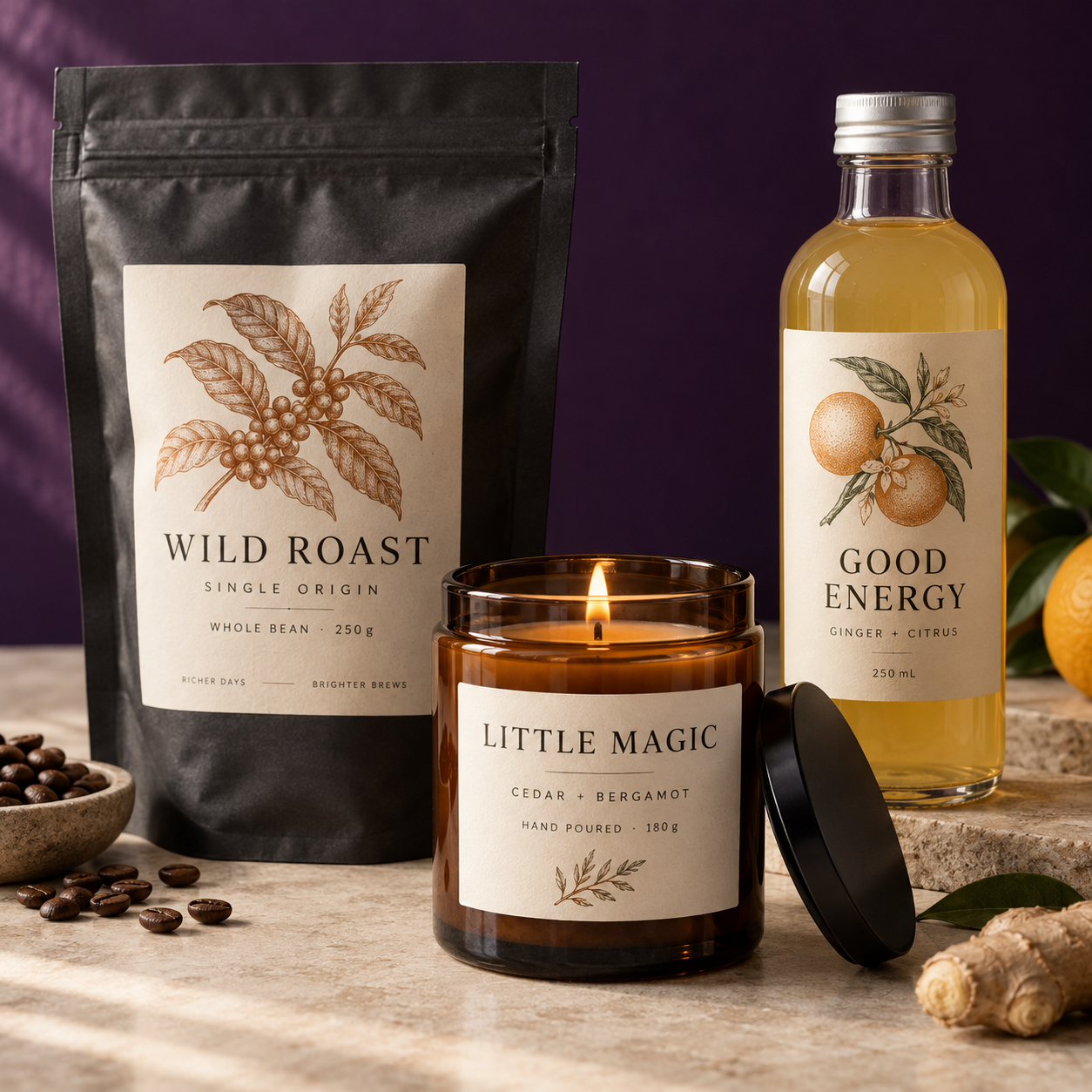
CREATIVE STUDIO. PRODUCTION BRAINS.
Product packaging. Price tags. Inventory. Handmade favorites. A one-off idea or a whole spreadsheet of them. Make the design yours, then let your data do the work.
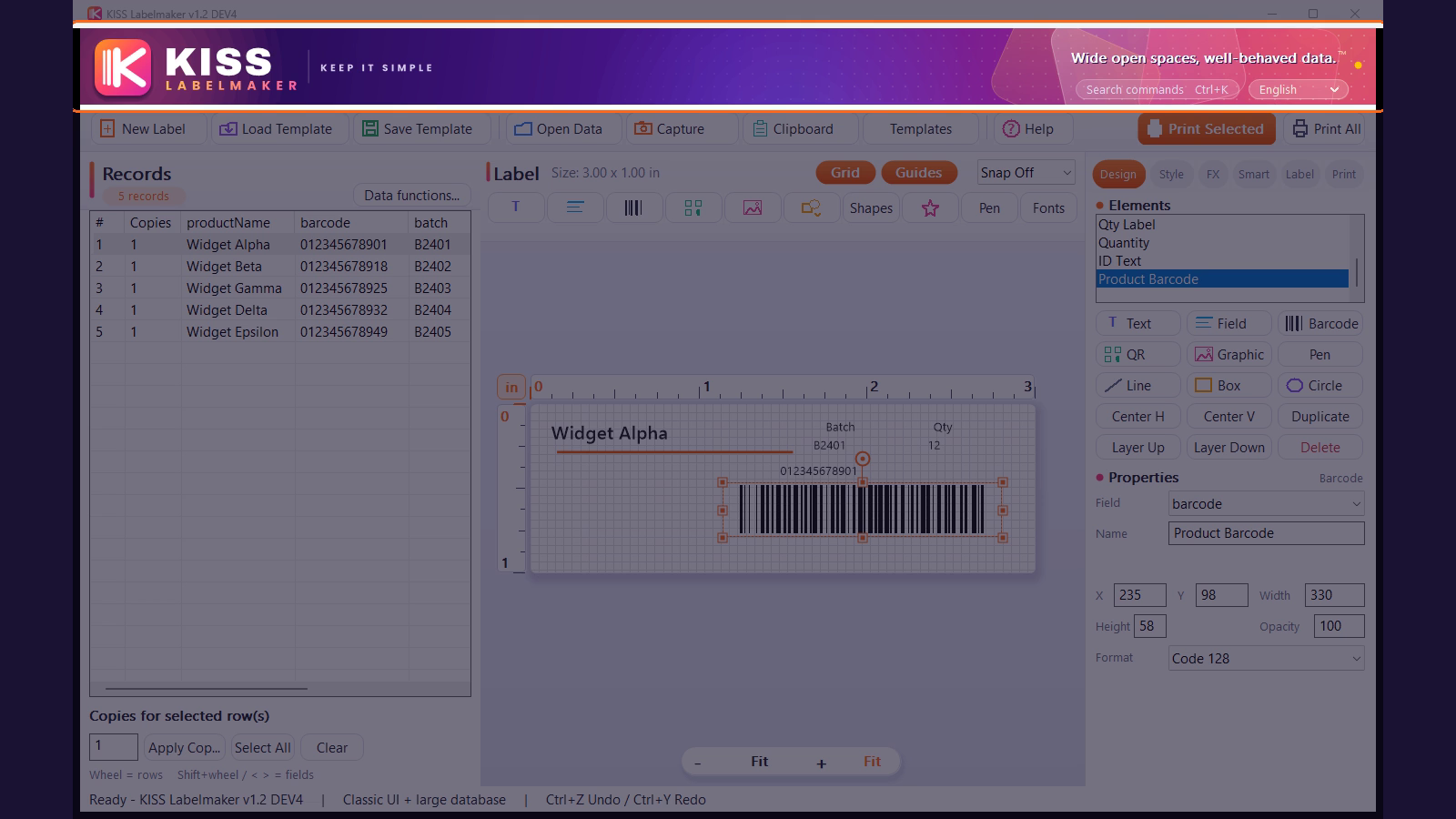
Import graphics—including artwork you’ve made with AI—and bring in CSV, Excel, clipboard tables, or captured screen data.
Mix editable text, fields, graphics, shapes, and codes. Play with layers, colors, effects, and curves.
Set copies for each record, preview the results, and print selected rows or the whole list.
THE “WAIT, IT DOES THAT?” FEATURE
Meet Smart Capture. Bring table data from another open window into your label workflow, without retyping it row by row.
A product list in a browser. Records in another application. Capture the table, check your records, and connect the columns to text fields or barcodes. Your data gets a new life on a label.
Watch the data walkthrough ↗| Product | SKU | Copies |
|---|---|---|
| Wild Roast | WR-001 | 48 |
| Good Energy | GE-002 | 24 |
| Little Magic | LM-003 | 12 |
Illustration of the workflow. Capture results depend on the source window; review imported data before printing.
GO AHEAD. PLAY A LITTLE.
Neon. Shadows. Outlines. 3D looks. Curved text and custom paths. Explore the effects gallery, try font pairings, and keep editing until it feels like you.
Your product names can change with every record while your design keeps its personality. Fixed text and imported fields belong in the same creative workspace.
THE DETAILS THAT MAKE IT CLICK
Connect a field to a barcode so each record gets its own. Choose from Code 128, UPC-A, EAN-13, GS1-128 and more, plus QR, Data Matrix, Aztec, and PDF417.
Create calculated columns with Excel-style functions. Trim text, change capitalization, extract characters, and format dates. Reuse formulas with fresh data.
Generate serial numbers, add date offsets for best-by labels, limit text length, or show an element only when a field matches your rule.
Start with editable templates for food, drinks, body care, retail, events, and more. Save your own layouts and use them again with a different list.
Print rolls or Avery-style sheets. Set copies per row, start on a partially used sheet, adjust rotation and offsets, and preview or export to PDF.
Undo and redo, group objects, arrange layers, and use command search when you need a tool. Hover help and guided videos keep you moving.
LESS GUESSING. MORE “OH, NICE.”
Real walkthroughs from the beta. Pick a topic and see how it works.
A guided tour of the canvas, records, and tools.
Try editable effects, curves, and font pairings.
CSV, Excel, Capture, clipboard, copies, and formulas.
Test labels, previews, sheet printing, and copies.
A FEW GOOD QUESTIONS
A Windows label design and printing app that combines creative tools with data-driven production: artwork, text effects, barcodes, QR codes, spreadsheets, screen capture, and printing in one workspace.
Yes. No payment is required during beta testing. This is a development build, so expect changes and occasional rough edges as the release takes shape. Commercial release pricing is not announced here.
Yes. Import your artwork, open CSV or Excel data, paste a copied table, or use Smart Capture. Place your data fields on the label and preview different records before printing.
The workflow shown here uses artwork you import, including graphics created with other AI tools. KISS gives you the label design tools to combine that artwork with editable text, data, and codes.
This beta is for Windows. It includes Windows printer selection, supported Zebra/TSC-style direct printing, and sheet-label layouts. Please test your exact printer and media. There is no Mac download on this page.
Register below to download the current build and receive beta update emails. Reply to a KISS beta email with feedback, or email beta@obcc.llc. Include your build version and the steps that led to the issue. You can unsubscribe using the link in an update email.
YOUR NEXT GREAT LABEL STARTS HERE
Bring a spreadsheet. Bring a wild idea. Bring that label you’ve been meaning to make. Get the beta and help shape what comes next.
Free during testing. No payment required.